
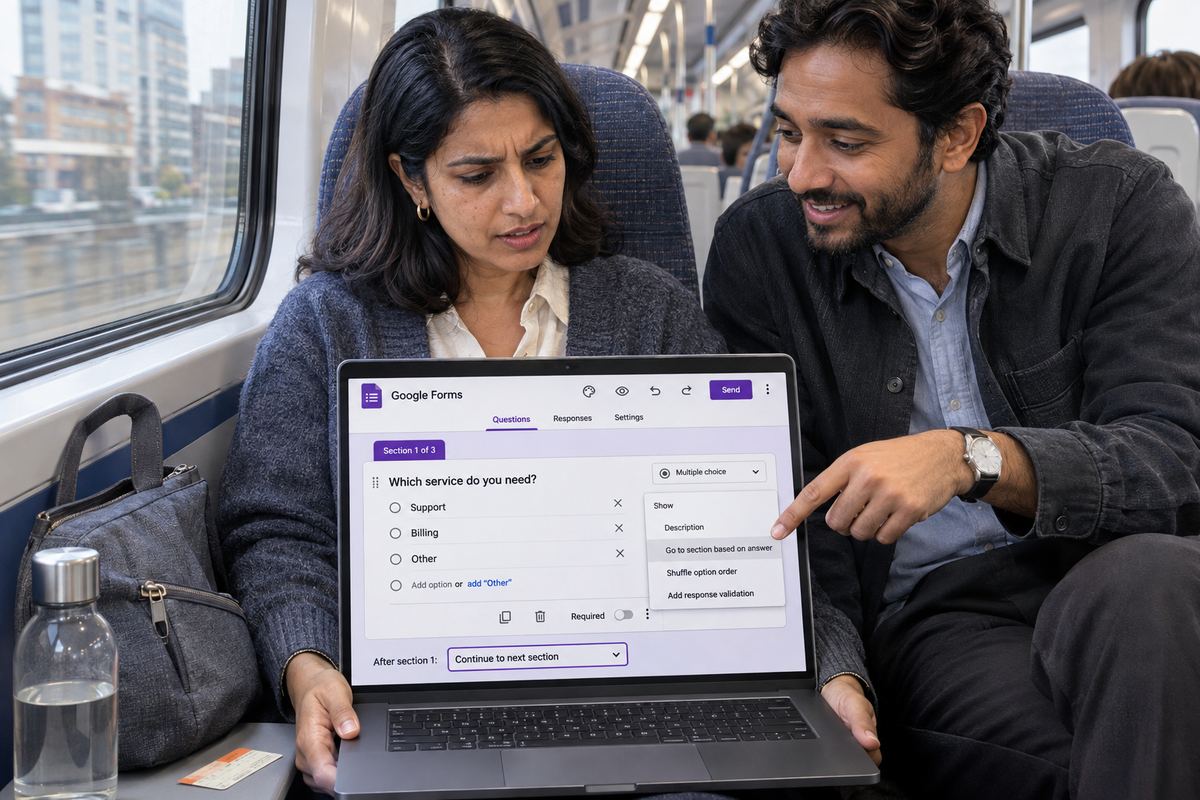
You build a Google Form with sections, set up 'Go to section based on answer', and send it. Then the replies start coming in wrong. People who answered 'No' got asked the 'Yes' questions. Someone reached the end after the first page. Or you went to set it up and the option was not in the menu at all.
The feature itself is simple. Google's help describes it as a way to set up a form so that people only see certain sections based on their answers. When it misbehaves, the form is nearly always doing what it was told. The question is the wrong type, the sections it should point to don't exist yet, or the setting at the bottom of a section quietly sends people somewhere you did not mean. Each of those has a short fix. Match what you see to the cause first:
- The option 'Go to section based on answer' is not in the menu: the question type does not support it. See cause one.
- The option is there, but there is nothing sensible to pick: the sections don't exist yet or are in the wrong order. See cause two.
- The branch works, then people land in the other branch's questions: the bottom of a section is still on its default. See cause three.
- The form ends early with the submit screen: an answer or a section is set to 'Submit form'. See cause four.
- Some people skip the routing entirely: the branching question was not required. See cause five.
- Everything shows at once and you can't tell what respondents see: you are looking at the editor, not the form. See the section on testing with Preview.
Cause 1: The question type doesn't support branching
This is why the option goes missing. Google's help says 'Go to section based on answer' is only available for Multiple choice and Dropdown question types. Checkboxes, Short answer, Paragraph, the scale and grid types, and the rest simply don't offer it, so the More menu on those questions has no branching item to show.
Checkboxes catch people out most, because they look like a list of options. The reason they can't branch is that someone can tick three boxes, and three answers can't each send the same person to a different section.
- Click the question, then use the type picker to the right of the question title to change it to 'Multiple choice' or 'Dropdown'.
- At the bottom right of the question, click 'More' (the three dots) and choose 'Go to section based on answer'.
- A section picker now appears next to each answer. Choose where each answer should send people.
- If people genuinely need to pick several options, keep the checkbox question for the data and add a separate Multiple choice question that does the routing.
Cause 2: The sections don't exist yet, or they moved
Answer-based branching sends people to a section. If your form is still one long page, there is nowhere to send them, and the rule can't do anything useful. Google's sections help says each section starts on a new page, and you can add up to 75 of them.
Build the sections first, then set the routing. To add one, open the form and click the 'Add section' icon, then give the section a name. Clear names matter here, because the picker next to each answer lists sections by name, and 'Untitled section' four times over is how answers end up pointing at the wrong one.
Reordering also changes the outcome. If you drag sections around with 'More' and then 'Move section', any answer or section that relies on the default 'next section' now leads somewhere new. After moving sections, check the routing again.
Cause 3: The bottom of a section sends people the wrong way
This is the most common reason a form 'goes to the wrong section'. There are two kinds of routing in Google Forms, and they live in different places. Answer-based routing lives on the question, under 'More'. Section routing lives at the bottom of every section: Google's help says that at the bottom of each section, you choose which section people go to next.
Unless you change it, a section simply continues to whichever section comes after it in the list. That is fine for a straight form and a trap for a branching one. Say section 2 is for people who answered 'Yes' and section 3 is for people who answered 'No'. Someone who answered 'Yes' finishes section 2, the bottom of section 2 is still on its default, and they walk straight into the 'No' questions in section 3.
Google's help pages don't spell out which setting wins when a question's answer rule and its section's own setting point in different directions. So don't leave them pointing in different directions. Make every route explicit.
- At the bottom of each branch section, pick the section everyone should go to next, usually a shared final section such as 'Contact details'.
- If a branch is the end of the road for those people, set the bottom of that section to 'Submit form' instead.
- On the branching question, give every answer an explicit destination, including answers that should just carry on, so moving sections later can't change where they lead.
- Keep each branching question in a section of its own, or at least near the end of its section, so it is obvious which rule sends people where.
Cause 4: The form submits early
If respondents hit the submit screen before the last page, something in their path says 'Submit form'. Google's help describes that option as the way to end the survey based on an answer, and the same choice is available at the bottom of every section. It does exactly what it says.
Open the branching question and read the destination next to every answer, then read the setting at the bottom of each section the respondent passes through. Change any 'Submit form' that should lead to a section. Also remember that there is nothing after the last section, so if an answer points at the final section by mistake, those people skip everything in between.
Cause 5: Nobody had to answer the branching question
An answer rule needs an answer. If the branching question is optional, a respondent can leave it blank and press 'Next', and there is no answer for the rule to act on. They carry on however the section is set up, which is often straight into questions that were never meant for them.
Google's help says that to prevent people from not answering, you turn on 'Required'. Do that on every question that decides where people go next. It also makes your responses easier to read, because every row then shows which path that person took.
It shows every section anyway: test with Preview, not the editor
The form editor always shows every section and every question, one after another, because that is where you build it. It is not what respondents see, so it can't tell you whether the branching works. Many 'it shows all the sections' reports are really someone scrolling the editor.
To see the real thing, click 'Preview' at the top right of the editor. Google's help says the preview opens in a new window, and there is a keyboard shortcut too: Ctrl + Shift + P, or Command + Shift + P on a Mac. Then test properly:
- Write down every path: each answer of each branching question, and where it should end.
- Walk through each path in Preview, one answer at a time, and check that every 'Next' lands on the section you expect.
- Try leaving the branching question blank to confirm 'Required' stops you.
- If a section appears in a path where it shouldn't, check the bottom of the section you were on just before it. That setting is the usual culprit.
- If any of your test submissions show up in the 'Responses' tab, delete them before you send the form out.
Prevent it next time
Branching goes wrong when the routing is implicit. A few habits keep it explicit.
- Sketch the paths on paper before you build: which answer goes to which section, and where each section ends.
- Create and name all the sections first, then add the routing last.
- Use only Multiple choice or Dropdown for any question that decides where people go, and make it 'Required'.
- Set the bottom of every section on purpose, never leaving a branch section on its default.
- After any 'Move section' or other change to the structure, run every path in Preview again before you share the link.
If you just need a simple form that works
If your form doesn't need branching at all, OneSol forms are another option: they open without a sign-in, accept file uploads, and every response lands in your OneSol dashboard and your inbox.